
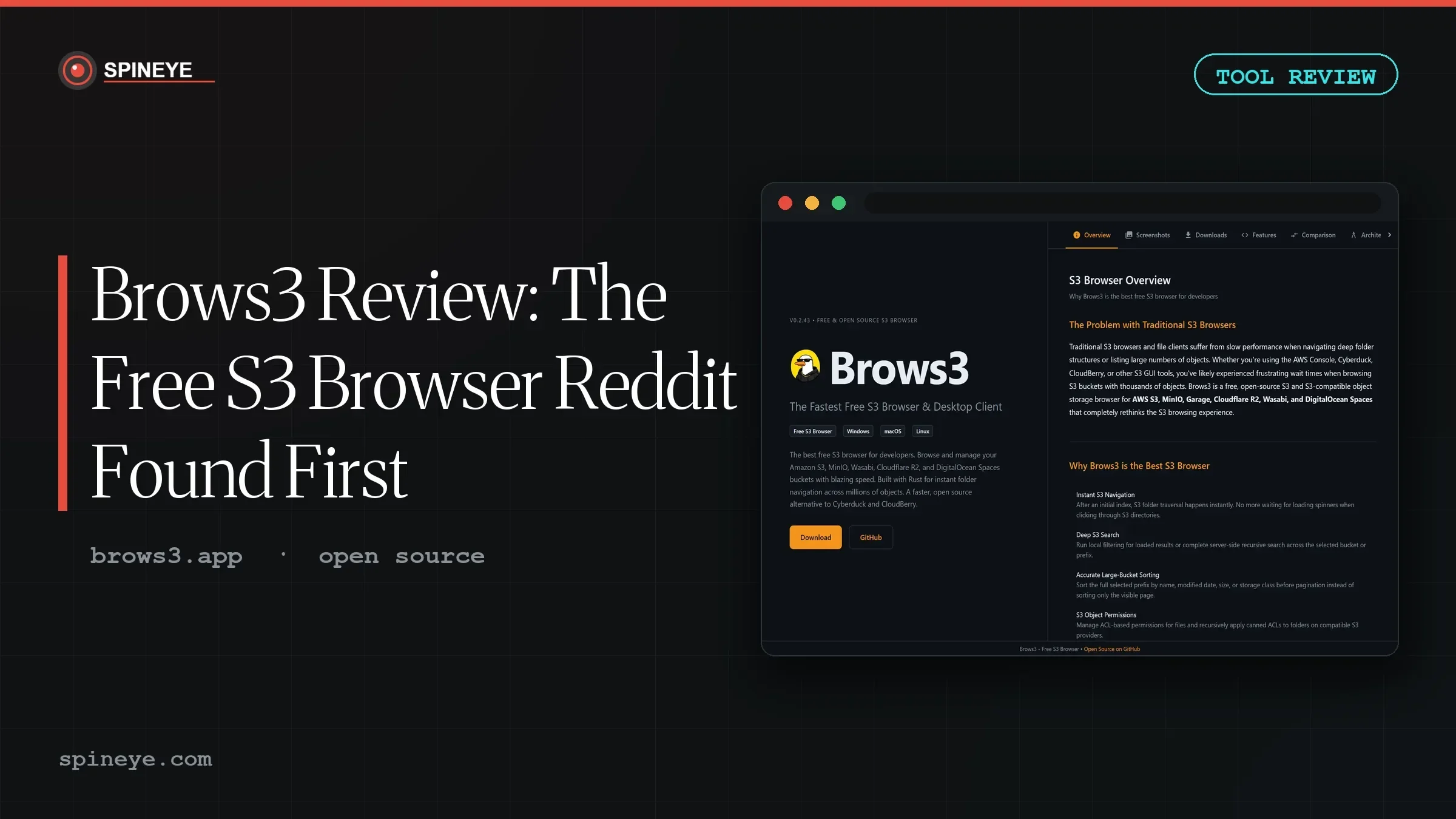
The Brows3 review you’re about to read exists because of a single Reddit thread. In May 2026, a member of r/selfhosted posted about an S3 file browser they’d stumbled on while setting up local object storage — calling it a “hidden gem” and hoping it would get more exposure. We traced that thread, the project’s GitHub repository, its documentation, and the community’s pushback to answer one question: is Brows3 actually worth installing?
Ben-G — independent reviewer at Spineye. Reviews are research-based: documentation, release notes, community discussions and real user reports, with sources linked. Where I’ve used a tool hands-on, I say so explicitly. How we review · LinkedIn
Early verdict: Brows3 is the only free, open-source, cross-platform desktop client we could find that focuses purely on S3 — and the users who have tried it genuinely like it. Hold the score back a notch for its young 0.2.x release status and marketing that promises more than any independent benchmark currently verifies.
What Is Brows3? Overview & Specifications
Brows3 is a free, MIT-licensed desktop client for Amazon S3 and S3-compatible object storage, built by solo developer rgcsekaraa. Under the hood it pairs a Rust core with a Tauri shell — the same lightweight approach used by a wave of modern desktop tools — with a Next.js front-end and the Monaco editor (the engine inside VS Code) for editing objects in place.
| Spec | Detail |
|---|---|
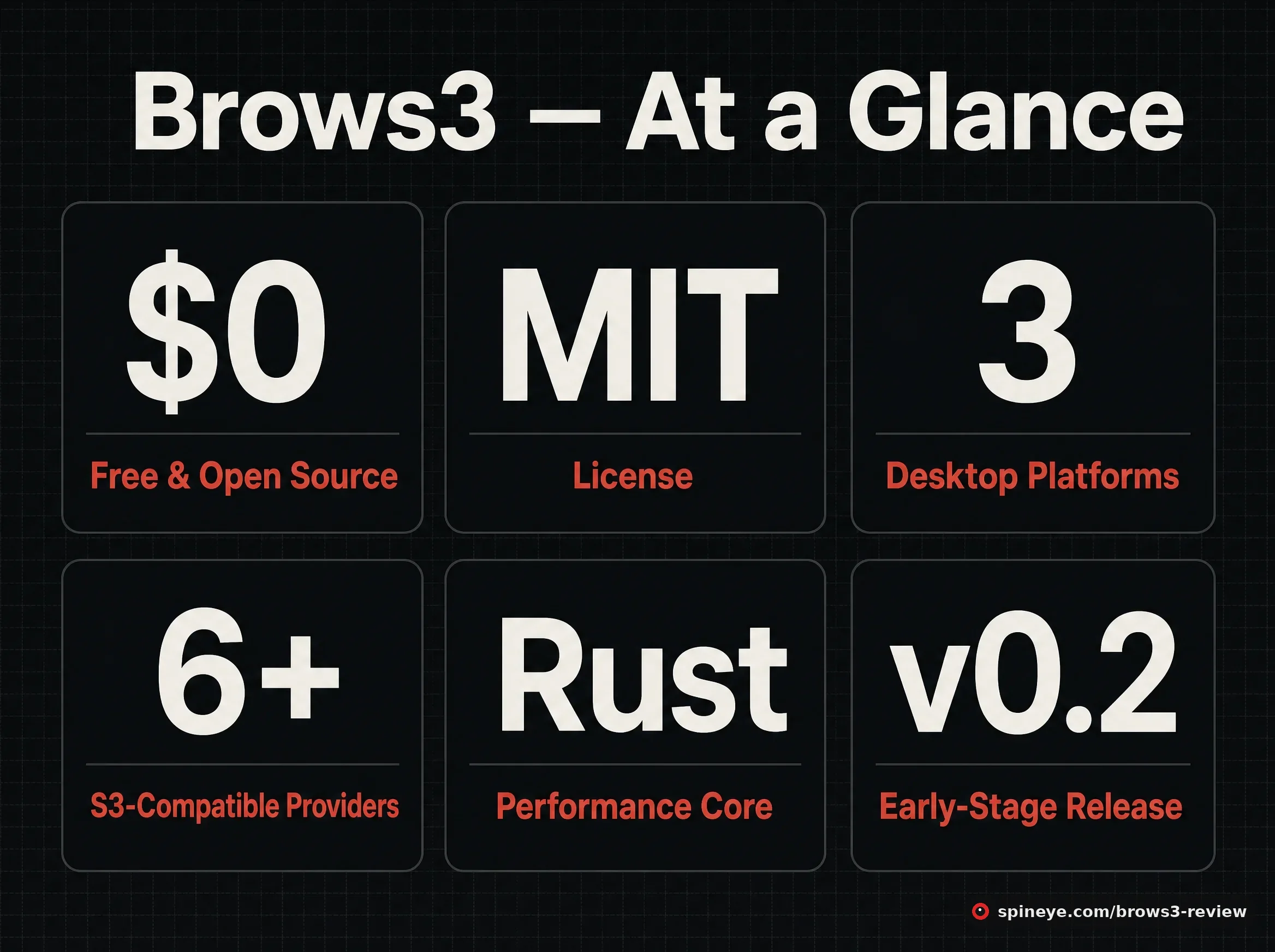
| Price | Free — no trial, no paid tier, no locked features |
| License | MIT, fully open source |
| Version reviewed | v0.2.43 (early-stage release line) |
| Platforms | Windows 10+ (MSI/EXE/portable), macOS 10.15+ (Intel & Apple Silicon), Linux (DEB/AppImage, x64 & ARM64) |
| Providers | Amazon S3, MinIO, Garage, Cloudflare R2, Wasabi, DigitalOcean Spaces, Backblaze B2 and other S3-compatible endpoints |
| Auth | Access keys, existing ~/.aws/credentials profiles, IAM roles; credentials stored locally |
| GitHub | 139 stars, 262 commits, active maintenance |
Feature-wise the headline items are prefix-aware cached navigation (a 30-minute TTL cache so folder clicks don’t re-list the bucket), a virtualized object table for very large listings, bulk upload/download/delete, presigned URL generation, ACL viewing, media previews and a built-in code editor. One thoughtful touch documented in the repo: folder deletion automatically falls back to single-object deletes on providers that reject multi-object delete calls — the kind of edge case you only handle if you actually use self-hosted S3.
Interface: What Brows3 Looks Like
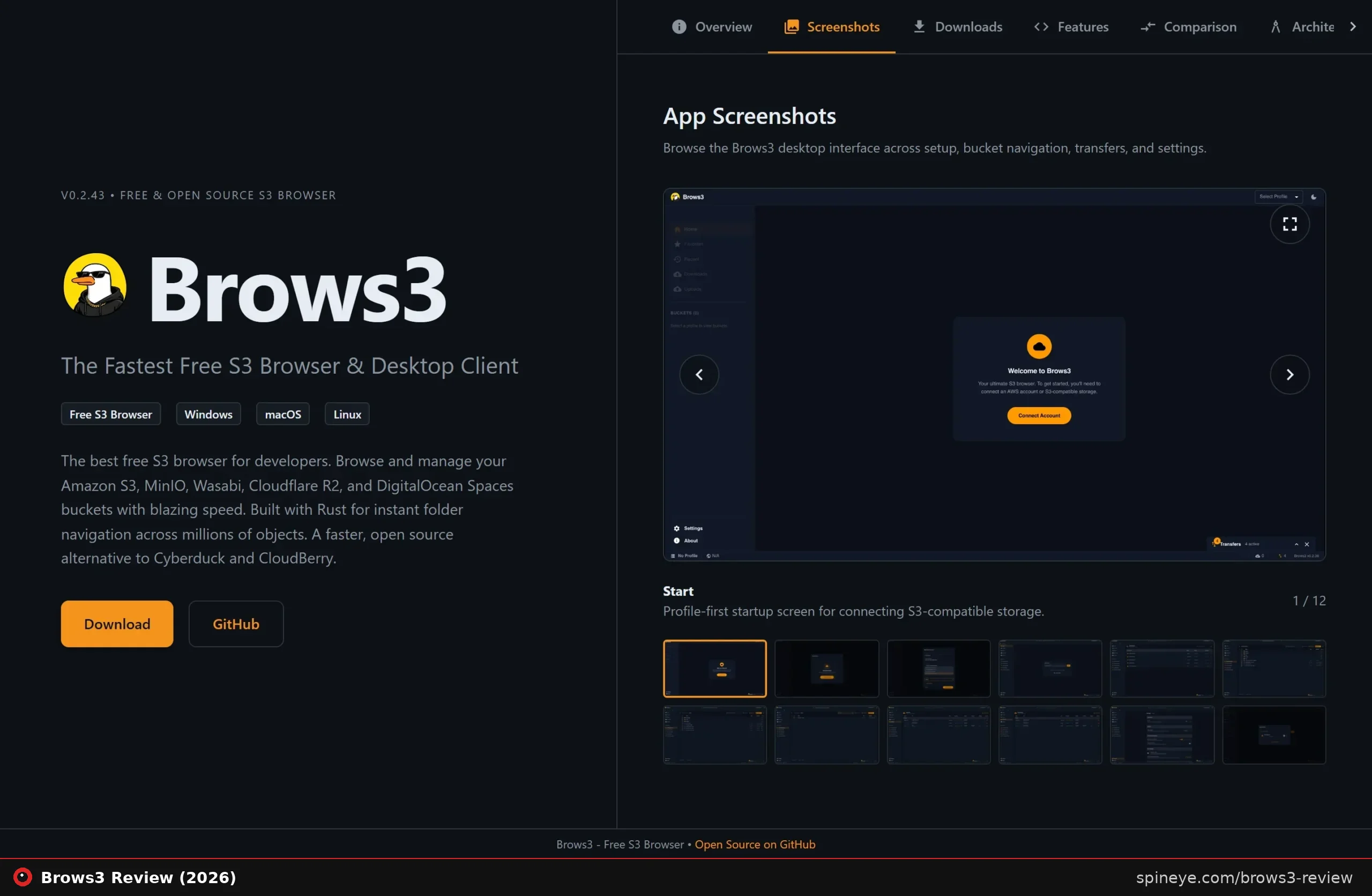
The interface is dark-mode-first and minimal: a sidebar for profiles, favourites and transfers, a large object table, and a status bar showing API activity. Twelve interface screenshots are published on the official site — worth noting, because at launch there were none, and the r/selfhosted crowd immediately called that out. The developer added the gallery within days. More on that below, because it tells you something about how this project is run.
Performance: What the Project Claims (and What’s Verified)
Let’s be precise about what is a claim and what is verified, because Brows3’s own website is not shy. It calls itself “the fastest free S3 browser” and promises “60fps virtual scrolling through 100,000+ items” and instant navigation through millions of objects after an initial index.
- Claimed by the project: faster navigation than Cyberduck, CloudBerry and S3 Browser; sub-millisecond cached folder opens; 60fps scrolling on 100k+ listings.
- Verified by design: the architecture genuinely supports these goals — prefix-indexed caching reduces repeated ListObjects calls, and virtualized tables are the standard way to keep large lists smooth. The Rust/Tauri stack keeps the install lean compared to Electron-based tools.
- Not yet verified: no independent benchmark of Brows3 against Cyberduck or S3 Browser existed at the time of writing. Treat the speed superlatives as marketing until someone measures them.
One practical nuance from the community discussion: aggressive caching and indexing means API calls, and on paid cloud storage (AWS S3 especially) list and head requests aren’t free. Self-hosters running MinIO or Garage pay nothing extra; teams on metered AWS accounts should keep an eye on request counts. A commenter in the thread made exactly this point, and it’s a fair one the marketing doesn’t mention.
What Real Users Say — the r/selfhosted Thread
The discovery thread is short but unusually honest, and it cuts both ways.
“I stumbled across this as it seems it’s the only free, cross platform option and it’s actually REALLY nice. Hidden gem! I’m hoping it gets more exposure.”
Original poster, r/selfhosted, May 2026“Sweet! I’ll be checking it out. It’s the ONLY app I’ve found to work the way I wanted it to!”
Commenter in the same thread“I use it on Linux. Pretty neat.”
Commenter in the same threadNow the criticism, because it matters. The top-voted comment (+20) was sarcasm about the launch website: “I like how none of those links provide screenshots.” Another user mocked the comparison page for listing “Rust-Powered Core” and “Monaco Editor” as if they were features Cyberduck should be embarrassed to lack. And a comment thread flagged that AI tooling was used in the project’s development — worth knowing if that shapes your trust in a young codebase, though with an MIT license the entire source is auditable.
The developer’s response is the strongest trust signal in the whole thread: within days they shipped a new version addressing the mentioned issues and added the screenshots gallery to the site. Solo-dev projects live or die on responsiveness, and this one responded.
Brows3 vs Cyberduck, S3 Browser and Transmit
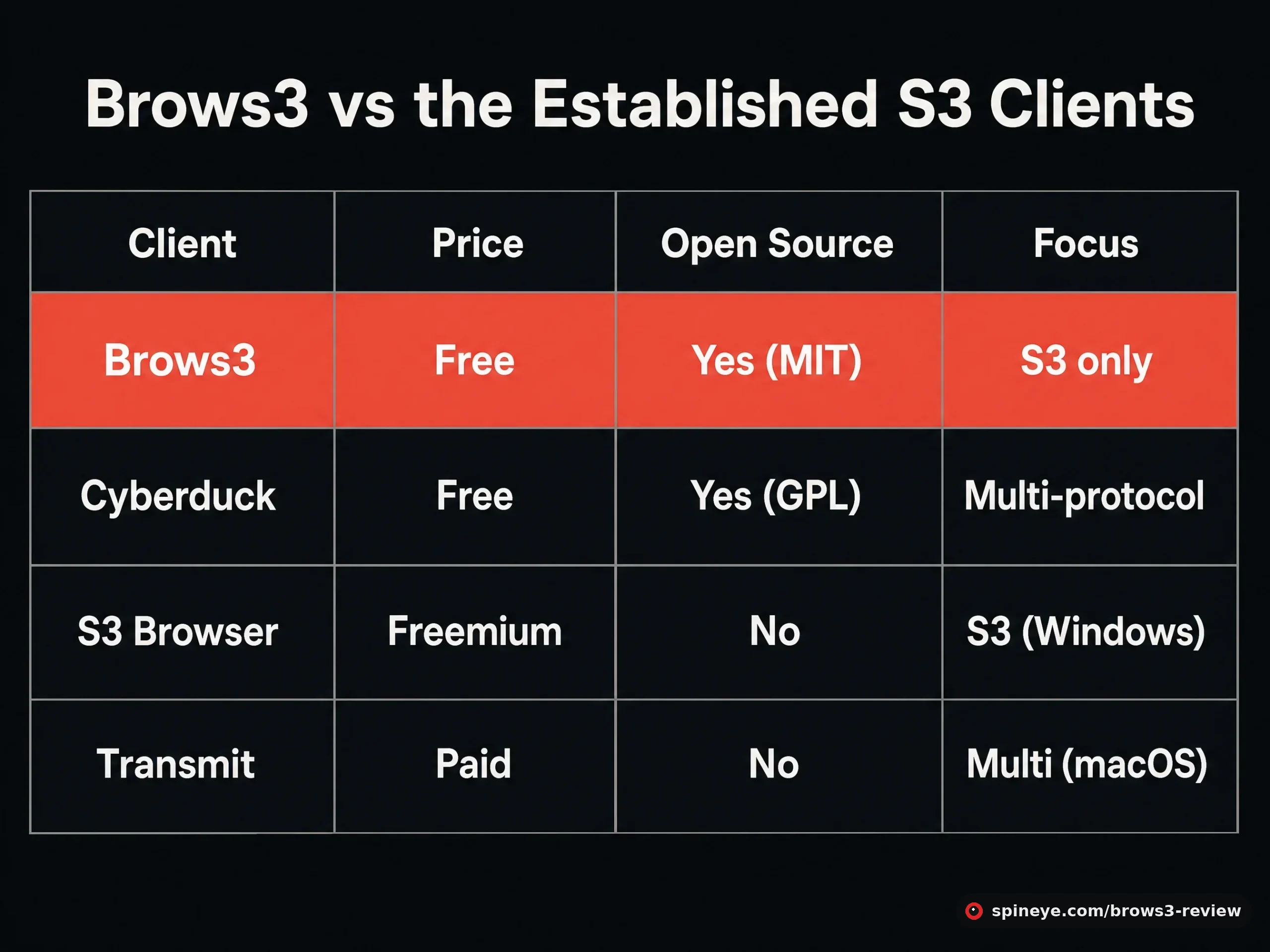
| Client | Price | Open source | Focus | Platforms |
|---|---|---|---|---|
| Brows3 | Free | Yes (MIT) | S3 only | Windows, macOS, Linux |
| Cyberduck | Free (donation-supported) | Yes (GPL) | Multi-protocol (FTP, SFTP, WebDAV, S3…) | Windows, macOS |
| S3 Browser | Freemium (Pro licence for teams) | No | S3 | Windows only |
| Transmit | Paid | No | Multi-protocol | macOS only |
The comparison explains why the Reddit poster called Brows3 “the only free, cross platform option”: Cyberduck is free and open source but has no Linux build and treats S3 as one protocol among many; S3 Browser is Windows-only with a paid tier; Transmit is excellent but macOS-only and paid. If your requirement is free + open source + S3-focused + runs on all three desktops, Brows3 currently stands alone. That’s a real niche, not a marketing invention.
Pros and Cons
Pros
- Completely free, MIT-licensed, auditable source
- Only S3-focused client that covers Windows, macOS and Linux at no cost
- Modern Rust/Tauri build — small footprint vs Electron tools
- Thoughtful S3 edge-case handling (delete fallback, profile-gated multi-account, direct bucket access without ListBuckets)
- Built-in Monaco editor and media previews
- Responsive developer: community feedback shipped within days
Cons
- Early-stage 0.2.x software — expect rough edges
- Speed superlatives are self-reported; no independent benchmarks yet
- Solo-maintainer risk: bus factor of one
- macOS build may need a quarantine-flag workaround (
xattr) after download - Heavy listing/caching can add API-request costs on metered AWS accounts
- AI-assisted development flagged by the community — auditable, but know it
Which S3 Client Fits You?
Who Should Use Brows3 — and Who Shouldn’t
Best for:
- Self-hosters running MinIO, Garage or SeaweedFS who want a proper GUI without paying
- Developers on Linux, where free S3-focused GUI options barely exist
- Mixed-OS teams that want one client everywhere
- Anyone allergic to subscriptions for what is essentially a file manager
Skip it if:
- You need battle-tested software for critical production workflows today — Cyberduck’s decade of maturity wins
- You also manage FTP/SFTP/WebDAV and want one client for everything
- You’re on a tightly metered AWS bill and worried about list-request volume
Where to Get It
Download installers from the GitHub releases page or brows3.app — Windows users can also install via Winget. There is nothing to buy: no trial timers, no feature gates, no email wall. If it saves you time, starring the repository is the currency the developer actually earns.
Final Verdict
Brows3 earns its “hidden gem” label: it fills a genuinely empty niche (free, open-source, cross-platform, S3-only), the architecture behind the speed claims is sound, and the developer demonstrably listens. Two things keep it under 8.5 for now: it’s version 0.2.x from a single maintainer, and the “fastest” branding outruns the available evidence. Watch this one — if the 1.0 lands and independent benchmarks back the claims, the score goes up.
Frequently Asked Questions
Is Brows3 really free?
Yes. The FAQ states it plainly: no limitations, no trial period, no subscription, no paywalled features. The MIT license means the source is free to inspect, fork and modify.
Is Brows3 safe to give my AWS credentials?
Credentials are stored locally on your machine and connections use HTTPS/TLS; nothing is sent to the developer’s servers, and the full codebase is publicly auditable on GitHub. As with any young project, cautious teams can review the source or use scoped, read-only IAM keys first.
Does Brows3 work with MinIO, Cloudflare R2 and Backblaze B2?
Yes — alongside Amazon S3 it supports MinIO, Garage, Wasabi, Cloudflare R2, DigitalOcean Spaces and Backblaze B2 via custom S3-compatible endpoints.
Is Brows3 faster than Cyberduck?
The project claims it is, and its S3-specific caching design plausibly helps — but no independent benchmark had been published at the time of writing. We label it a claim, not a fact.
Does Brows3 run on Linux?
Yes: DEB and AppImage builds for both x64 en ARM64, needing GTK 3.24+. Linux support is one of its clearest advantages over Cyberduck (no Linux build) and S3 Browser (Windows only).
Who makes Brows3?
A solo developer, rgcsekaraa, who maintains it openly on GitHub (262 commits at review time) and responded to community criticism within days by shipping fixes and adding interface screenshots to the site.
What are the biggest risks of using Brows3?
Its youth: version 0.2.x, a single maintainer, and self-reported performance claims. For hobby and self-hosted use these are acceptable trade-offs; for critical production pipelines a more established client may be wiser for now.
Can Brows3 increase my AWS bill?
Indirectly, yes: its cache-and-index approach issues list/head requests, which are metered on AWS. On self-hosted storage (MinIO, Garage) API calls cost nothing.
Sources
- Brows3 GitHub repository — features, platforms, license, commit history
- brows3.app and official FAQ — pricing, security model, performance claims
- r/selfhosted discovery thread — user experiences and criticism, May 2026
- Cyberduck, S3 Browser, Transmit — comparison data
Working with object storage more broadly? Our shared-to-cloud migration guide covers the move that usually puts people in front of an S3 bucket for the first time — and for more finds like this one, the Spineye blog tracks tools small communities rave about before the big review sites notice. More reviews live in our reviews section.